Need pricing for multiple items? Send your equipment list on WhatsApp.
IT SupplierPakistan

Computing · Desktops · Mini PCs · Pakistan

Business Computer Supplier in Pakistan for Desktops and Mini PCs

Source desktop computers, mini PCs and all-in-one PCs for offices, branches, call centers, computer labs and reception desks. Tell us the roles, quantities and requirements, and we will help you specify, price and standardize the fleet, with monitors, software and power protection planned alongside.

  • Tower · SFF · Mini PC · AIO
  • Role-based fleets
  • Monitors + UPS planned in
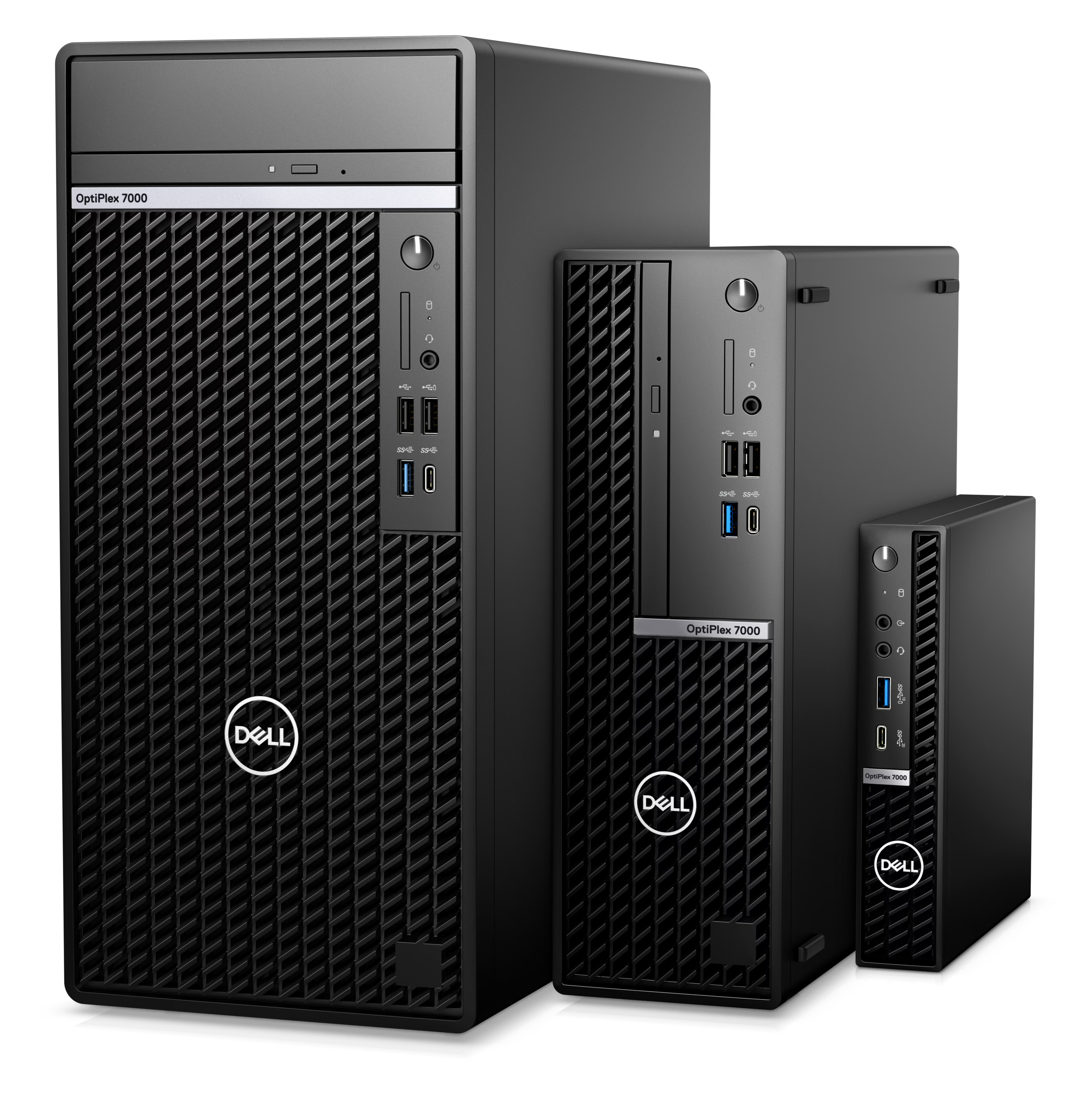
Dell business desktop computers for office fleets

How do I buy desktop computers for a company in Pakistan?

To buy desktop computers for a company, group your staff by role, choose one standard configuration for each group, and request a written quotation from a corporate IT supplier. State the form factor (tower, small form factor, mini PC or all-in-one), CPU class, RAM, SSD capacity, operating system, monitors, warranty and delivery city, so the price is accurate and every unit is compatible with your software and management tools.

Buying by role and standard model, rather than choosing machines individually, keeps a fleet easy to deploy, support and replace.

01Form factor

When are desktops the better choice than laptops?

Desktops suit fixed workstations where staff do not need to move. For the same budget they generally offer more performance, easier upgrades and repairs, and lower risk of theft than laptops. They also avoid battery ageing, which is a recurring replacement cost in laptop fleets.

Desktop and mini PC versus business laptop comparison
FactorDesktop / mini PCBusiness laptop
Best forFixed desks, call centers, back office, labs, receptionHybrid, mobile and flexible seating
Performance per rupeeUsually higherUsually lower
Upgrade and repairEasier; parts are more accessibleOften limited, especially soldered memory
BatteryNone to replaceAgeing battery is a running cost
Theft riskLowerHigher
Power during outagesNeeds a UPSRuns on battery for a time
PortabilityNoneFull

Many organizations use both: desktops for fixed roles and laptops for staff who travel or work remotely. See our business laptops for corporate procurement.

Which desktop form factor should you choose?

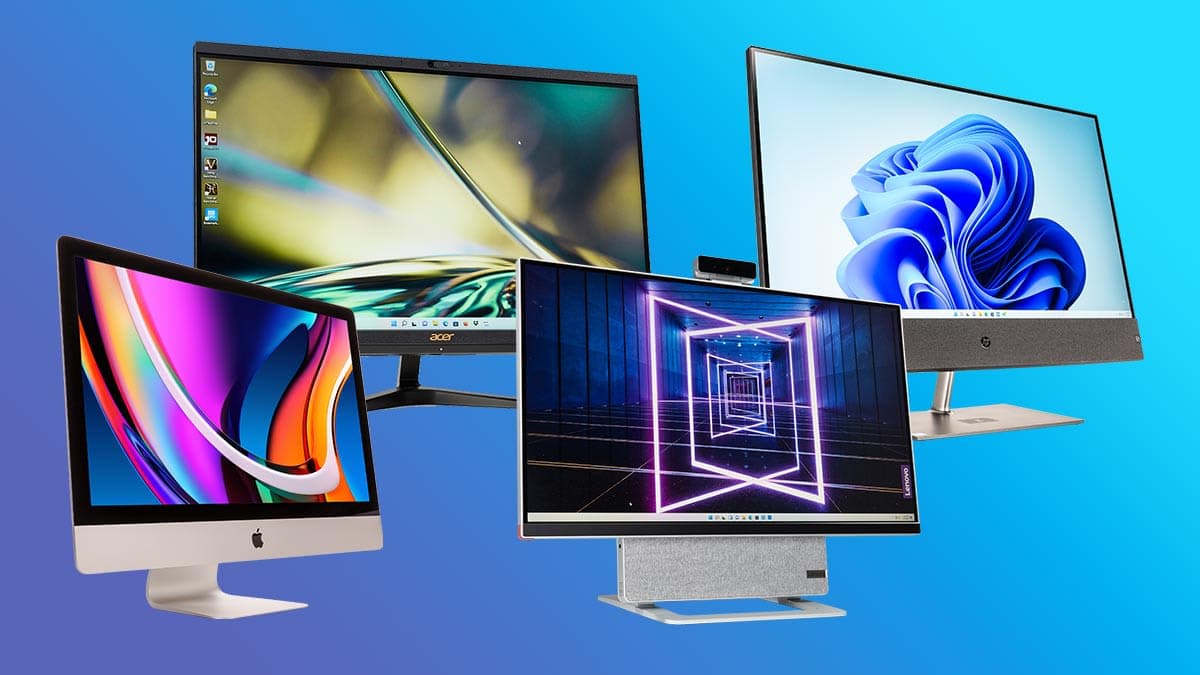
  • All-in-one desktop computers for reception and office desks

    All-in-one PCs

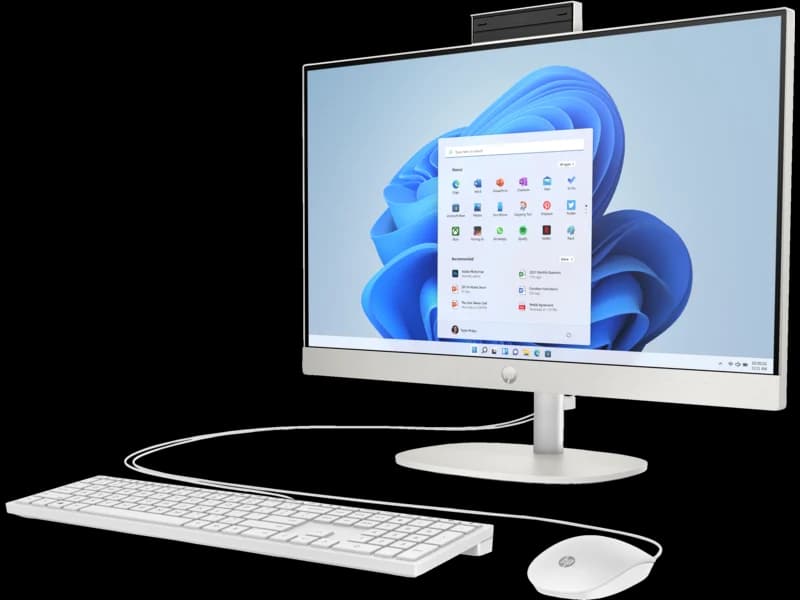
  • HP all-in-one computer with keyboard and mouse

    HP all-in-one

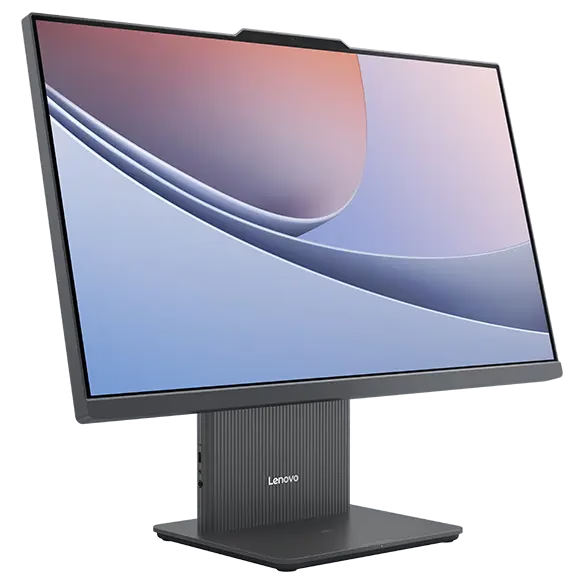
  • Lenovo all-in-one computer for business desks

    Lenovo all-in-one

Desktop computer form factors and trade-offs
Form factorBest forTrade-offs
TowerRoles needing expansion, discrete graphics or extra drivesLargest footprint
Small form factor (SFF)Standard office desks where space is limitedFewer expansion options
Mini PC (ultra-compact)Reception, meeting rooms, kiosks, shared desks, VESA mounting behind a monitorLimited upgrades and graphics options
All-in-one (AIO)Front-office and clean desk setups with minimal cablingScreen and computer are tied together; repair and upgrade are harder

Confirm the number and type of display outputs on any form factor if users need two or more monitors.

02Specifications

Which desktop specification suits which role?

Match the machine to the work. Over-specifying every desktop wastes budget. Under-specifying causes slow systems and early replacement. The table is a general guide, and final specifications depend on the software you run.

Business desktop specifications by employee role
RoleCPU classRAMStorageOther considerations
Data entry, reception, administrationEntry business-class (Intel Core i3/i5 or AMD Ryzen 3/5 class)8–16 GB256–512 GB SSDCompact form factor; mini PC or SFF is usually enough
Call center and customer supportEntry to mid business-class8–16 GB256–512 GB SSDReliability, headset connectivity, standardized image
Finance, accounting, HRMid business-class (Core i5/Ryzen 5 class)16 GB512 GB SSDTwo monitors, large spreadsheets, security features
Managers and analystsMid to high (Core i5–i7 / Ryzen 5–7 class)16–32 GB512 GB–1 TB SSDMultiple monitors, heavy multitasking
Developers and IT staffHigh (Core i7/Ryzen 7 class)32 GB1 TB SSDVirtual machines, several displays
Design, CAD, videoHigh plus dedicated GPU32 GB or more1 TB SSD or moreConsider a workstation-class system
Computer labs and training roomsMid business-class16 GB256–512 GB SSDIdentical units, simple imaging and management

Specifications that matter when comparing business desktops

Processor

Choose the CPU class by workload, and check the generation as well as the tier. A newer mid-range processor often outperforms an older high-end one and stays supported longer. Office tasks, browsers and video calls run comfortably on mainstream mid-range processors. Development, analytics and virtualization benefit from more cores.
Memory

16 GB is a sensible standard for most business users today. Light data-entry roles can manage on 8 GB but have little headroom over a multi-year lifespan. Memory generally performs best when installed in matched pairs, and it is worth confirming how many slots are free for later expansion.

Storage

Use SSD storage. 512 GB suits most roles. Choose larger drives for staff handling big files, local databases or media. Confirm whether the chassis has an extra drive slot if storage needs may grow.

Graphics

Integrated graphics are enough for office work, browsing and dual monitors. A dedicated GPU is needed for CAD, 3D, video editing, some analytics and visualization. Adding a GPU also affects power supply wattage, chassis size and cooling, so confirm the model can accept one.

Ports, displays and connectivity

Check the display outputs (HDMI, DisplayPort, USB-C), how many monitors can run at once, the number of USB ports, wired Ethernet speed, and Wi-Fi and Bluetooth where needed. Front-panel ports matter for daily use at a desk.

Security and manageability

Confirm TPM 2.0, Windows 11 Pro support, BitLocker capability and BIOS-level password controls. Some chassis include a lock slot or intrusion detection. Ask whether the models work with your deployment and endpoint management tools.

Serviceability

Tool-less or easy-access chassis reduce repair time. This matters across dozens or hundreds of units.

03Software

Operating system, licensing and endpoint management

Business desktops are normally deployed with Windows 11 Pro, because Home editions cannot join a corporate domain. Confirm the edition on every line of your quotation.

Plan software at the same time as hardware: productivity suite, security software and an endpoint management platform for patching, inventory and remote support. Standardized machines are much easier to enrol and manage from the first day. See our software licensing solutions and endpoint management with ManageEngine.

Managed desktop

Windows 11 Pro fleet

  • Domain join ready
  • TPM 2.0 + BitLocker
  • Endpoint management enrollment
  • Quoted with productivity licensing

Monitors, peripherals and power protection

A desktop needs more than the computer:

  • Monitors

    Size, resolution, panel type, the inputs the desktop provides, and stands or VESA mounts. One or two monitors per user is common in office roles. See our business monitors and accessories.

  • Peripherals

    Keyboards, mice, webcams and headsets.

  • Power protection

    Desktops have no battery. A UPS protects against surges and power interruptions, and allows a clean shutdown so work is not lost. Size it for the total connected load, including monitors. See our UPS and power protection solutions.

04Workloads

High-performance and gaming-class systems

Some business roles need more than a standard desktop: design and visualization studios, simulation, video production, and training or simulation labs. These use high-performance systems with strong CPUs, large memory and dedicated GPUs. Gaming-class hardware can serve these workloads when price matters, but professional applications may recommend or certify specific workstation-class systems, with support and stability requirements that consumer-style hardware does not meet.

Before choosing, check your software vendor's hardware recommendations. If the software vendor lists certified hardware, or the work is business-critical, a workstation-class system is the safer choice.

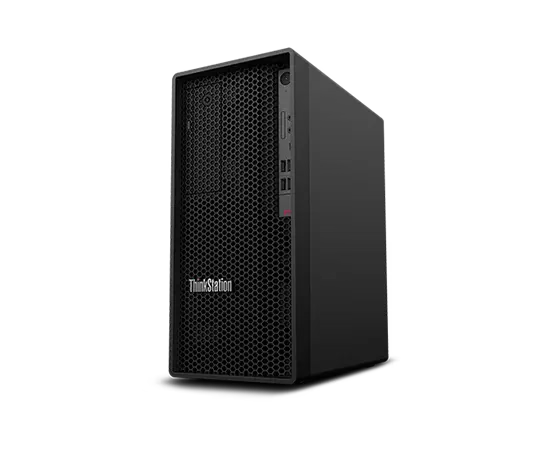
Workstation PCs for CAD, design and other GPU workloads

Step up when needed

GPU-capable chassis

  • CAD / visualization workloads
  • Video production & simulation
  • Confirm PSU, cooling and slots
  • Prefer certified platforms when required

05Procurement

Warranty, lifecycle and standardization

Evaluate warranty before price. Confirm the term, whether service is on-site or carry-in, how parts are handled and how replacement is arranged. Desktops are commonly kept longer than laptops, often four to six years depending on workload.

Standardizing on one or two models per role means:

  • Faster deployment from a common system image
  • A smaller spare parts and accessory inventory
  • Simpler support and troubleshooting
  • Predictable replacement planning

If you expect to hire, ask for models that will stay available so later purchases match the original fleet.

Brands and product lines

Business desktops are commonly specified around established enterprise ranges, such as Dell's OptiPlex line, HP's Pro and Elite desktop lines, and Lenovo's ThinkCentre line, along with business models from ASUS and Acer. If your organization already standardizes on a brand, include it in your request. If not, we can propose suitable options based on your roles and budget.

Ordering desktops in bulk

Companies and institutions can request bulk quotations for any size of deployment, from one office to many branches or a full computer lab. Prepare:

  1. Quantity per role or configuration
  2. Preferred brand and form factor
  3. Required CPU, RAM, storage and operating system
  4. Monitors, peripherals and UPS needed
  5. Warranty expectations
  6. Software licences to include
  7. Delivery locations and timeline

If your specification is incomplete, describe the roles and the number of users, and we will help shape the requirement.

What should a desktop computer RFQ include?

  • Quantities per configuration
  • Form factor (tower, SFF, mini PC, all-in-one)
  • CPU, RAM, storage and graphics requirements
  • Operating system edition
  • Monitor count and size per desk
  • Ports and connectivity needs
  • Security features required (TPM, encryption)
  • Warranty term and support expectations
  • Software and licensing needs
  • Delivery locations and timeline
  • Contact person and business email

06FAQ

Frequently asked questions

Practical answers for teams buying business desktops, mini PCs and all-in-ones in Pakistan.

What is the best desktop computer for office use?

For general office work, a business-class desktop with a mainstream mid-range processor, 16 GB of RAM and a 512 GB SSD covers most users. Light data-entry roles can use 8 GB, and heavier roles need more memory and storage. Choose the form factor by desk space and expansion needs.

Can companies buy desktop computers in bulk?

Yes. Companies, schools and public-sector organizations can request bulk quotations. Provide quantities per role, the specification, brand preference, monitors, software and delivery locations. A bill of materials speeds up the response.

What is the difference between a business desktop and a consumer desktop?

Business desktops are designed for managed, long-term use, with security features such as TPM, Windows Pro editions, longer model availability, easier serviceability and business warranty options. Consumer desktops often cost less up front but offer weaker support and manageability.

Should I choose a mini PC or a full desktop?

Mini PCs suit light and mid workloads where desk space or mounting behind a monitor matters. Full towers suit roles needing dedicated graphics, extra storage or upgrades. Confirm the display outputs and performance for your specific roles.

Do desktop computers need a UPS?

Yes. Desktops have no battery, so a UPS protects against surges and outages and allows a clean shutdown. Size it for the desktop and monitor combined, plus the runtime you need.

Can you supply desktops with monitors and software?

Yes. Desktops can be quoted with monitors, peripherals, UPS and software licensing, so the full workstation is planned in one document. Availability depends on the models and licences you select.

Corporate IT Procurement

Send your desktop requirement, receive a corporate quotation

Share the roles, quantities and any specification you have. Our team will review the details and respond with pricing.

Request a Bulk Quote

Pre-selected for desktop computers. Include roles, form factor, quantities, monitors and any UPS or licensing needs.

Quote form temporarily unavailable

Send your company name, quantities and equipment list on WhatsApp or by email. Those are the only ways to request a quote right now.

WhatsAppEmail