Need pricing for multiple items? Send your equipment list on WhatsApp.
IT SupplierPakistan

Servers · Virtualization · Pakistan

Server Supplier in Pakistan for Business Workloads

Source rack and tower servers for file services, applications, databases and virtualization. Share your workload and we will help you specify the processor, memory, storage and redundancy, together with the rack, power and networking the server depends on.

  • Rack & tower
  • RAID & redundancy
  • Infrastructure dependencies
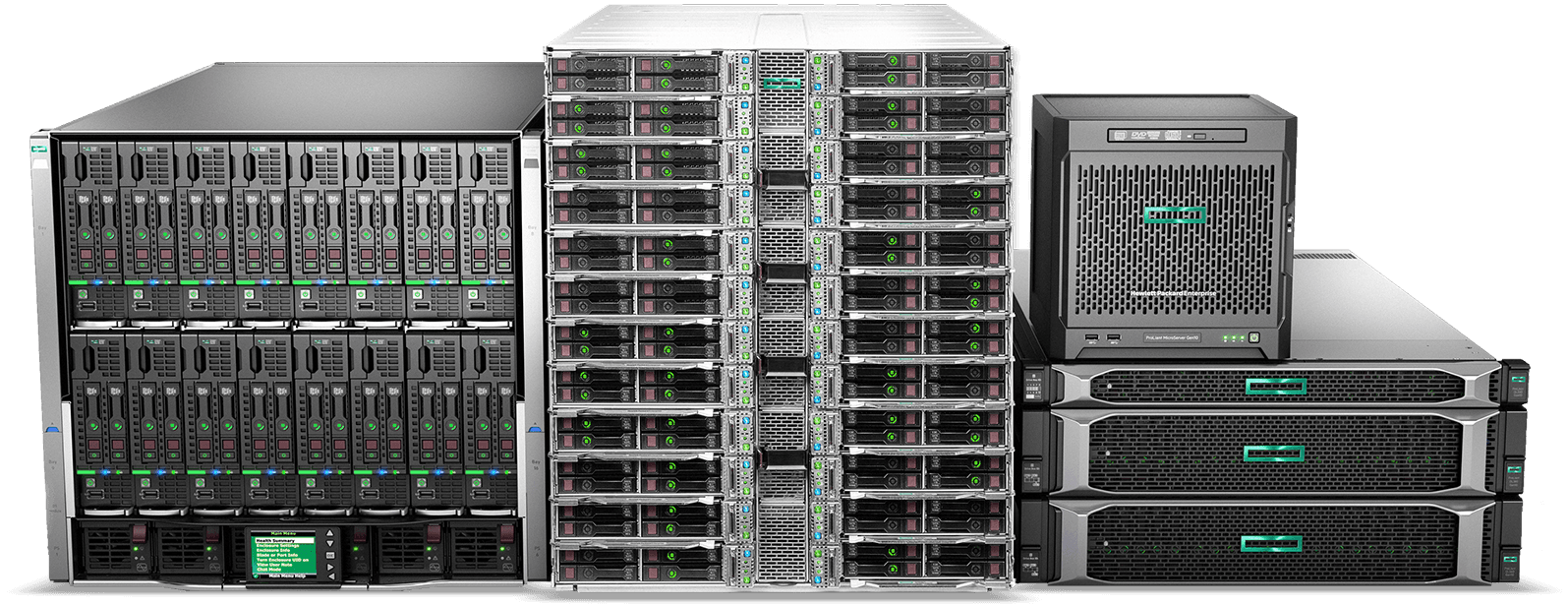
Enterprise rack servers, storage and a tower server

What should a business consider before buying a server?

Before buying a server, define the workload it must run, the number of users or virtual machines, and how much downtime the business can tolerate. These answers determine CPU cores, ECC memory capacity, storage and RAID level, redundant power, network speed and form factor. Then confirm the operating system licensing, backup, UPS and rack requirements, because a server depends on all of them.

Sizing for a realistic three-to-five-year growth path avoids two common mistakes: buying more capacity than the workload will ever use, and buying a server that is outgrown within a year.

01Form factor

Rack server or tower server?

Rack servers mount in a standard 19-inch rack and are measured in rack units (1U, 2U and so on). Tower servers stand alone like a desktop PC. Both run the same operating systems and workloads. The right choice depends on where the server will live and how many you expect to run.

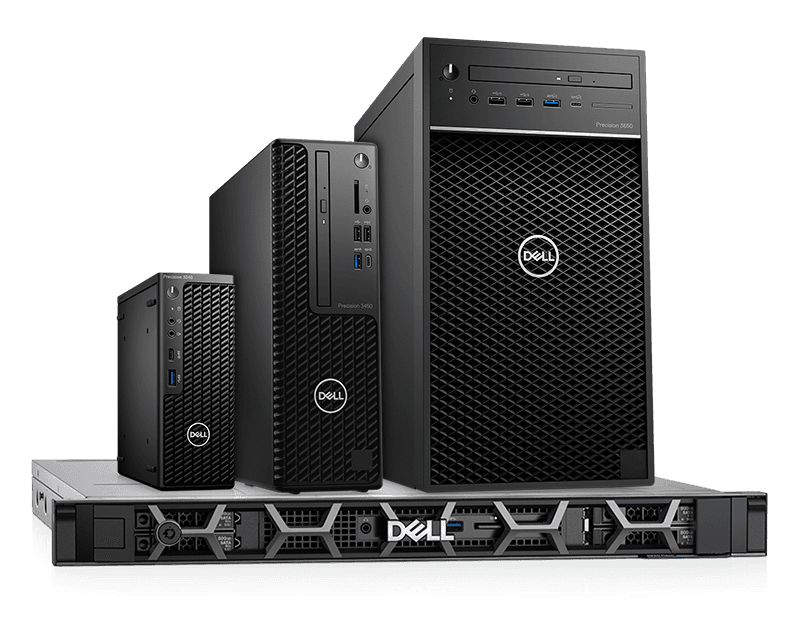
Dell tower systems and a rack server, showing both form factors
Comparison of rack servers and tower servers
FactorRack serverTower server
Best forServer rooms, multi-server environments, growthSingle-server offices, small branches, no server room
SpaceDense; several servers in one rackUses floor or desk space; harder to scale
ExpansionDrive bays and PCIe slots vary by 1U/2U modelOften more internal drive bays and slots per unit
Cooling and noiseDesigned for controlled rooms; can be loudGenerally quieter, suits open offices
ManagementEasy to add rails, PDUs and cable managementCabling is less organized
ConsiderRequires a rack, PDU and suitable roomConsider rack conversion kits or a future move to rack

02Sizing

How to size a server

Processor

Choose the core count and clock speed by workload. File and print services need modest CPUs. Databases and virtualization hosts need more cores and memory bandwidth. Dual-processor servers add cores and memory capacity, but they also raise cost and can increase per-core software licensing costs, so verify licensing before choosing.

Memory

Business servers use ECC memory, which detects and corrects common memory errors. Size RAM for the workload plus headroom. Virtualization hosts need memory for every virtual machine plus the hypervisor. Confirm the number of memory slots and the maximum capacity so you can expand later.

Storage and RAID

RAID combines drives for redundancy, performance or both. It protects against drive failure, but it is not a backup.

Common RAID levels for business servers
RAID levelBehaviorTypical use
RAID 1Mirrors two drivesOperating system drives, small servers
RAID 5Striping with single parity; tolerates one drive failureGeneral file and application storage
RAID 6Double parity; tolerates two drive failuresLarger arrays where rebuild risk matters
RAID 10Mirrored pairs, stripedDatabases and virtual machines needing performance

Also decide between SAS, SATA and NVMe drives, hot-swap bays, and a hardware RAID controller. Choose drive capacity with growth and rebuild time in mind. Related: enterprise storage.

Network interfaces

Confirm the number and speed of network ports. Gigabit is common for basic services. Servers hosting virtualization or heavy file transfers often need 10 GbE or faster, and this must match the switch ports and cabling. See our network switch solutions.

Redundancy and manageability

Redundant hot-swap power supplies keep a server running if one supply fails, and should be connected to separate power feeds or a UPS. Hot-swap fans and drives reduce downtime during repairs. Most enterprise servers include a dedicated remote management controller (for example Dell iDRAC, HPE iLO or Lenovo XClarity) for out-of-band access, monitoring and remote console.

03Workloads

Common server use cases

  • File and print server: modest CPU, reliable RAID storage, backup.
  • Application server: balanced CPU and memory sized to the application vendor's guidance.
  • Database server: fast storage (SSD or NVMe), sufficient RAM, redundancy.
  • Virtualization host: many cores, large ECC memory, fast storage, multiple network ports.
  • Backup server: large-capacity storage and reliable network throughput.

Consolidating several workloads onto a virtualization host can reduce hardware count, but it concentrates risk, so plan redundancy and backup accordingly.

Server requirement

Virtualization workload

  • Multi-core CPUs
  • Large ECC memory pool
  • RAID / NVMe storage
  • Redundant PSU + remote management

What a server depends on

A server is only as reliable as its environment. Plan these together:

  • Rack and cabling

    Appropriate rack size, depth and cable management. See our server racks and data-center equipment.

  • Power protection

    A UPS sized for the total connected load and required runtime, plus PDUs.

  • Network

    Managed switches, sufficient ports and uplink speed, and a firewall. Related: network switch solutions.

  • Backup

    A tested backup process, ideally following the 3-2-1 approach (three copies, two media types, one offsite).

  • Cooling and room

    Adequate airflow and temperature control.

  • Broader infrastructure

    Related: IT infrastructure solutions.

04Software

Operating system and licensing

Server software is licensed separately from the hardware. Windows Server is licensed by processor core, with minimum core licences per server, and client access licences (CALs) are typically required for users or devices connecting to it. Virtualization platforms and database software have their own licensing rules. Confirm licensing before finalizing the specification, because it can affect processor choice. See our software licensing solutions.

05Support

Warranty and support

Check warranty length, on-site service options, response times and parts availability. Match the warranty to how critical the server is. A server running core business systems warrants a stronger support level than a test machine.

Server brands and platforms

Server platforms are commonly specified around established enterprise lines from vendors such as Dell Technologies, HPE, Lenovo and Cisco, with storage options from Synology and QNAP for smaller environments. If your organization already standardizes on a platform, include it in the request. If not, we can propose options based on your workload and budget.

What should a server RFQ include?

  • Workload and intended use
  • Number of users or virtual machines
  • Preferred vendor and form factor (rack or tower)
  • CPU, RAM and storage capacity requirements
  • RAID level and drive type
  • Network port count and speed
  • Redundant power requirement
  • Operating system and licensing
  • Rack, UPS, switch and backup requirements
  • Warranty and support expectations
  • Delivery city and timeline

If you are unsure of the sizing, describe the applications and the number of users, and we will help shape the specification.

06FAQ

Frequently asked questions

Direct answers for IT and procurement teams specifying business servers in Pakistan.

What is the difference between a rack server and a tower server?

A rack server mounts in a standard 19-inch rack and suits server rooms and multi-server environments. A tower server stands alone and suits small offices without a rack. Both can run the same workloads.

How much RAM does a business server need?

It depends on the workload. File servers need modest memory. Database servers and virtualization hosts need much more, since each virtual machine needs its own allocation. Size for current needs plus growth, and confirm the maximum supported memory.

Is RAID a replacement for backup?

No. RAID protects against drive failure but not against deletion, corruption, ransomware or a site-level failure. Every server needs a separate, tested backup.

Do I need a UPS for a server?

Yes. A UPS protects against power loss and surges and allows a clean shutdown. Size it for the total load of the server and connected equipment, and the runtime you need.

Can you supply servers along with networking and software?

Yes. Servers can be quoted together with switches, racks, UPS, storage and software licensing so the whole environment is planned in one document.

Corporate IT Procurement

Send your workload, receive a server quotation

Tell us what the server will run and how many users depend on it. We will review the requirement and respond with pricing.

Request Server Pricing

Pre-selected for servers. Include workload, users or VMs, form factor, storage/RAID needs and any rack, UPS or licensing requirements.

Quote form temporarily unavailable

Send your company name, quantities and equipment list on WhatsApp or by email. Those are the only ways to request a quote right now.

WhatsAppEmail